Up-to-date Stripe MRR and churn, without your agent spending tokens to calculate them.
When your MRR is not calculated the way Stripe does it, your agent teaches your rules to Niten just once. From then on, a Sync calculates it every morning and your team checks it without reading Stripe again.
What happened
Every morning, the agent read Stripe, calculated MRR, and saved it. For several days it failed: totals that did not add up and fields with wrong values.
The problem was not the prompt, it was the method.
It reads everything to add up everything.
Every subscription enters its context and consumes tokens.
Its MRR was not Stripe's.
VAT included in the price, two currencies, and coupon segments: it had to be calculated with its own rules.
The result stays in the chat.
The rest of the team cannot use it.
First: is your MRR the same as Stripe's?
Stripe already calculates MRR with its own definition, and it is a good one. But each business decides how it calculates its own. That is why your agent starts by asking for your rules.
Use Stripe analytics
Your agent queries it with the Stripe MCP and gets the number already calculated. You do not need a Sync.
Build your MRR with Niten
Your agent writes your rules into a Sync and Niten runs it every morning.
In the pilot, the rules did not match. Here is how each way of calculating it compares:
| Rule | Stripe Dashboard | SQL on Stripe | Niten Sync |
|---|---|---|---|
| VAT | Includes it when it is part of the price. | You remove it in the query. | Fixed rule: excluding VAT. |
| Scheduled cancellation | Leaves MRR as soon as it is scheduled. | You can count it until the period ends. | Counts until the period ends. |
| Multi-month coupons | Depends on your account settings. | Applied with their validity dates. | Subtracted while they are active. |
| Currency | Its reports convert to USD. | You can use the exchange rate of the last charge. | Everything in pesos, at the exchange rate of the last charge. |
| Segments | By price, product, or customer. | By promotion code or metadata. | By coupon and channel. |
| Your MRR history | Only Stripe's. | It has to be rebuilt in every query. | One snapshot per day, saved automatically. |
| Who writes the rules | Stripe. | Your agent, in every query. | Your agent, once. You approve them. |
| Who sees the result | Whoever logs into the Stripe Dashboard. | Whoever ran the query. | The whole team with permission. |
We compared subscription by subscription: the base matched, and the difference was only in these rules. With SQL you can apply all of them, but the agent writes the query every time, and one mistake in a query changes the number.
Cost in Stripe: the Dashboard comes with Stripe Billing and Stripe does not publish a separate price. The query API its MCP uses is free until January 31, 2027, and usage-based pricing applies after that. Sigma, for saving queries in the Dashboard, is paid.
What changed: a Sync
The agent wrote the business rules once and left them in Niten. Since then, the daily calculation does not go through any conversation.
Stripe
Read with a read-only key.
Sync
Runs every morning in Niten, without the agent.
Catalogs
Subscriptions, charges, and one snapshot per day.
Your team
Gets the number already calculated.
The rules that got written down
- Each subscription in its currency, at list price.
- Other currency: exchange rate of its last charge.
- Recurring discounts count; one-time ones do not.
- Excluding VAT.
- Only active subscriptions or those with a pending payment.
- Segment based on the coupon.
The result
- It matched an independent review, subscription by subscription.
- The daily history builds itself.
- If a run fails, it retries from where it stopped.
- If someone changes the rules, it stops until its creator approves them.
How to set it up
Create your Niten account and connect it to Claude
Create your free Niten account. In Claude, add a custom connector with the MCP URL from your project's Overview.
https://niten.empulse.dev/mcpAlternative if you have more than one project:
https://niten.empulse.dev/mcp/<proyecto>Adding custom connectors with remote MCP is only available on paid Claude plans.
Connect Stripe to Claude
Your agent uses it to understand your data before writing the rules. Following Stripe's official guide:
- Go to Settings > Connectors.
- Click Browse connectors.
- Search for Stripe.
- Click Connect.
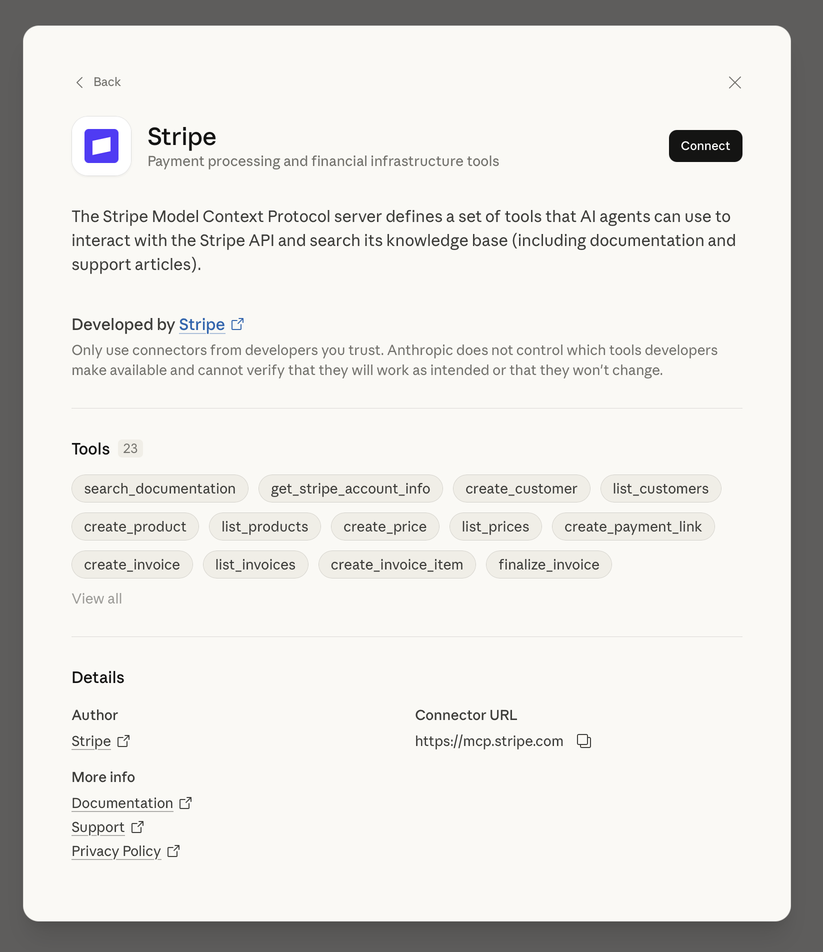
Image: Stripe App Marketplace. Use it in read-only mode: the agent only needs to read.
Save a read-only Stripe key in Niten
Create a read-only restricted key in Stripe and save it under Integrations in the Niten console. This is the key the Sync uses.
It is stored encrypted and your agent never sees it.
Ask your agent to compare your rules and create the Sync
Your agent asks for your rules and compares them with Stripe's. If they match, it tells you and you use Stripe analytics. If not, it creates the Sync with your rules and runs it once.
Every morning I want MRR and churn for my Stripe subscriptions, with one record per day so I can see how they change. First ask me my rules for calculating MRR: currencies, discounts, taxes, cancellations, and which subscriptions count. Compare them with how Stripe calculates it. If they match, tell me and use Stripe analytics. If not, create the Niten catalogs and a daily Sync with my rules that does it on its own, without you having to read Stripe every day. Before scheduling it, run it once and show me the result.Only a project admin can authorize it. It is the only time tokens are spent.
Review the test and leave it scheduled
Compare the result with your Stripe dashboard. If it matches, ask it to schedule it daily. From then on, Niten runs it without the agent.
Each team checks the numbers and builds its dashboard
Anyone with permission asks their assistant for the dashboard and gets totals already calculated.
Using the Niten catalogs, build an artifact with weekly MRR for the last 12 weeks and weekly churn.
Claude without Niten vs Claude with Niten
When your MRR has its own rules, without Niten the agent reads every subscription to calculate it. Tokens with 100 subscriptions:
Ask for your MRR today
Without Niten125,000
With Niten110
5 people ask for your MRR today
Without Niten625,000
With Niten550
| What you do | Without Niten | With Niten |
|---|---|---|
| Save tokens | ✕You spend 125,000 tokens every time you ask for your MRR. | ✓110 tokens per query. |
| Have your MRR history | ✕Stripe keeps the history of its MRR, not yours. | ✓One snapshot per day with your rules, saved automatically. |
| Calculate without reading errors | ✕The agent adds up in the chat: one misread record changes the total. | ✓Fixed rules, applied the same way every day. |
| Share the number with the team | ✕Each person recalculates and may get a different result. | ✓Everyone with permission sees the same number. |
| Have it run without you | ✕Someone has to ask the agent every day. | ✓Runs every morning on the server. |
Estimate based on real subscriptions from a Stripe account, at 3.5 characters per token. If your rules are Stripe's, its analytics gives you the number without reading every subscription.
The bonus: each team tailors the dashboard to what it needs
Same data, a different view per team. Company, customers, and amounts are fictional.
Open the dashboard full screenFAQ
Why does Claude get Stripe MRR wrong?
Because it has to read every subscription and add things up inside the conversation. With discounts, several currencies, and hundreds of customers, one misread record is enough to throw the total off. With Niten, a Sync with fixed rules does the calculation, outside the chat.
Stripe already calculates MRR, so why do I need Niten?
If your rules are Stripe's, you do not need it for MRR: use its analytics. You can also ask your agent for a SQL query on your Stripe data, but it writes it every time and does not keep your MRR history. Niten helps when your business calculates it differently, for example excluding VAT included in the price, counting cancellations until the end of the period, in a single currency, or with your own segments. The Sync saves a daily snapshot with your rules, so your MRR history builds itself.
How many tokens does the agent spend with the Sync?
On the daily run, none: it runs on Niten’s server, without the agent. Tokens are spent once, when the agent writes and tests the Sync, and after that only when someone looks up the results, which arrive already calculated.
Can my team use the same numbers?
Yes. The results live in Niten catalogs. Every person or agent with permission looks them up from their AI assistant and gets the same numbers, without reading Stripe again.
Is it safe to give Niten my Stripe key?
Use a read-only restricted key. It is stored encrypted in Niten, the Sync can only read, and the agent never receives it in the conversation. If someone changes the rules, the Sync stops until its creator approves them again.
What happens if a run fails?
Niten saves where it stopped and the error that happened. Your agent can review the diagnosis and retry from that point, without starting over.
Do I need to know how to code?
No. You tell your agent what you want to measure; it writes the rules, tests them, and creates the Sync. You review the result before it is scheduled.